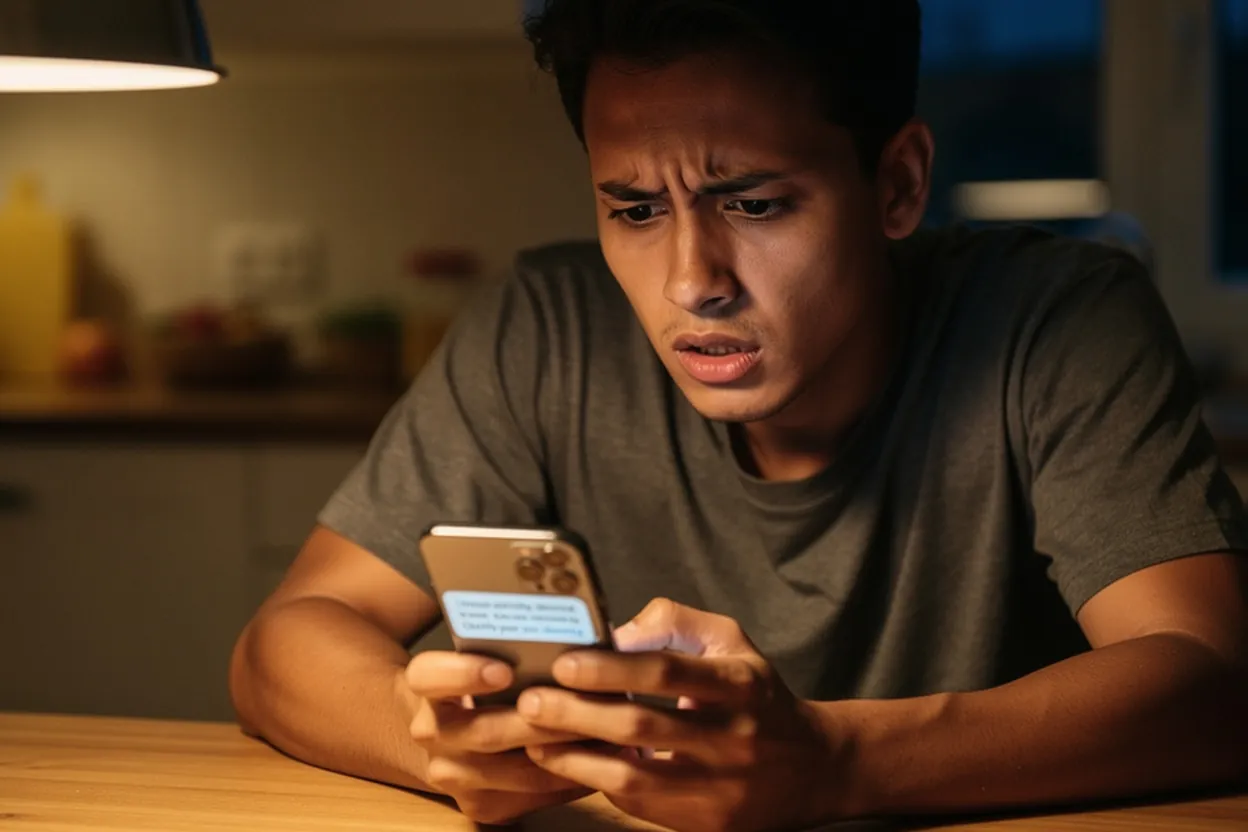
Your phone buzzes. It's a text from your bank saying your account has been locked and you need to click a link immediately to restore access. Your heart jumps a little. You start to tap the link — and then you pause. Should I?
That moment of hesitation might be the most important thing you do all day. Knowing how to tell if a text is a scam could literally save you thousands of dollars. And the numbers are staggering: Americans lost roughly $470 million to scam text messages in 2024 alone — a 434% increase from 2020. Smishing (that's the official term for SMS phishing) now accounts for 39% of all mobile threats in 2026. This isn't a niche problem. It's an epidemic.
The good news? Scam text messages almost always leave clues. Once you know what to look for, they become easier to spot. Here are the warning signs to check.
Why scam texts are getting harder to spot
Scam texts used to be obvious. Bad grammar, weird formatting, a random number you'd never seen. You could sniff them out in seconds.
That's not really true anymore.
In 2026, scammers use AI-generated messages that are polished, personalized, and eerily convincing. They know your name. Sometimes they know your bank, your carrier, even your general location — pulled from data brokers, social media, and leaked databases. According to Privacy for Cops, personal information is widely available through people-search sites, public records, and social media. Scammers buy that data in bulk and use it to craft messages that feel real.
Your old instincts — "I'd never fall for something that obvious" — may not protect you the way they once did. The scam that fools you won't look like a scam. It'll look like a normal text from a company you trust.
That's why having a concrete checklist matters more now than it did five years ago.
The 7 warning signs a text message is a scam
Here's the quick-reference version first — because some of you are reading this with a suspicious text open right now and you want answers fast.
| Warning Sign | What It Looks Like |
|---|---|
| Urgency or panic language | "Act NOW or your account will be closed" |
| Suspicious or shortened links | bit.ly/xk29z or bankofamerica-secure.net |
| Requests for personal information | Asking for SSN, passwords, card numbers |
| Generic greeting | "Dear Customer" instead of your name |
| Unexpected prize or offer | "You've won a $500 gift card!" |
| Unsolicited message from unknown sender | No prior contact, no context |
| Spelling, grammar, or formatting errors | Odd spacing, typos, strange characters |
Here is why each warning sign matters, because understanding why it is a red flag helps you recognize new variations.
Urgency and panic language
Scammers need you to act before you think. If you stop and verify, they lose. So they engineer a sense of crisis.
Phrases like "Your account will be suspended in 24 hours," "Immediate action required," or "Final notice" are designed to short-circuit your common sense. The Better Business Bureau specifically flags this as one of the most reliable red flags — real companies rarely demand instant action via text message.
A useful rule is to slow down as the pressure rises. Urgency in a suspicious text may be manufactured to stop you from checking the claim.
Suspicious or shortened links
A scam text almost always contains a link — because the link is how they steal your information or install malware on your device.
Watch for links that look almost right but aren't. Something like "bankofamerica-alerts.net" or "usps-delivery-confirm.com" — they mimic real brands but the domain is fake. Shortened links like bit.ly or tinyurl are another red flag, because they hide where the link actually goes. Trend Micro's security guidance specifically warns against clicking any link in a suspicious text, even if the site it takes you to looks legitimate.
If you're not sure about a link, use an AI-powered scam checker to analyze it before you click anything.
Requests for personal information
Real banks, real government agencies, and real businesses do not ask for your Social Security number, password, PIN, or full credit card number over text.
The Bank of Missouri puts it plainly: banks will never text, email, or call asking for your personal or account information. If a text is asking for sensitive data, it's a scam. Even if it looks like it came from your bank. Even if it uses your name.
Generic or oddly formal greetings
"Dear Customer." "Hello User." "Valued Member."
Your bank knows your name. Your phone carrier knows your name. Any company you actually have an account with uses your name when they contact you. A generic greeting is a strong signal the message went out in bulk to thousands of people — which is exactly what scammers do.
That said, this one isn't foolproof. Some legitimate automated texts are generic too. Treat it as one warning sign among several, not a slam dunk on its own.
How smishing scams actually work
It helps to understand the mechanics — not in a technical way, but just enough to see the playbook scammers are running.
Most smishing attacks start with a fake but plausible scenario. A package that couldn't be delivered. A suspicious charge on your account. A toll fee you apparently owe. A job offer out of nowhere. These scenarios are chosen because they're common enough that someone receiving the text will find it relevant.
The text contains a link. You click it. The website looks real — same logo, same colors, same layout as the actual company. You enter your login credentials or payment information. The scammer captures it instantly and either sells it or uses it themselves.
According to Panda Security, some of the most common smishing scenarios right now include:
- Fake delivery problems: "Your USPS package couldn't be delivered. Click here to reschedule."
- Unpaid toll fees: "You have an outstanding toll balance. Pay now to avoid penalties."
- Fake bank fraud alerts: "Suspicious activity detected on your account. Verify your identity."
- Wrong-number investment scams: A "friendly" stranger texts the wrong number and slowly builds a relationship before pitching a fake investment.
- Job offer scams: An unsolicited text offering remote work that pays suspiciously well.
The wrong-number investment scam is particularly insidious — because it doesn't feel like a scam at first. It feels like a human connection. Guardio's research on job offer text scams confirms that these often start warmly and casually before pivoting to requests for money or personal information.
What to do when you receive a suspicious text
You've gotten a text and something feels off. Here's what to do.
Don't click anything. Not the link, not the "unsubscribe" option, not any button in the message. Even clicking "STOP" can confirm to the scammer that your number is active.
Don't reply. Any response tells them the number is live.
Verify independently. If the text claims to be from your bank, go directly to your bank's website — type it yourself, don't use any link from the text — or call the number on the back of your card. If it's about a package, go to the carrier's official website and enter your tracking number there.
Run it through a checker. Paste the message or link into a free scam text checker to get an instant analysis. Useful when you're genuinely on the fence.
Report it. Forward the scam text to 7726 (SPAM) — that's the number all major U.S. carriers use to collect smishing reports. You can also report it to the FTC at reportfraud.ftc.gov.
Block and delete. Block the number, then delete the message so you don't accidentally tap that link later.
The "too good to be true" test
There's a whole category of scam texts that try to lure you with something exciting rather than scare you with something urgent.
"You've been selected for a $1,000 Amazon gift card." "Congratulations — you're our monthly winner!" "Claim your free cruise before midnight."
These work because they trigger excitement instead of fear — but the outcome is the same. You click the link, you enter your information, and you get nothing except a stolen identity or a drained bank account.
Use this test: if you did not enter a contest, treat an unexpected prize announcement as suspicious. If something feels too good to be true, run it through the Scam Checker before you do anything else.
AARP's 2026 fraud watch also flags a growing trend they call "friendship scams" — where a scammer builds a genuine-feeling relationship over weeks or months before asking for money or investments. These often start with a text. The slow build is what makes them so dangerous.
Scam texts that impersonate real companies
Scammers are good at impersonating brands you trust. Amazon, USPS, FedEx, your bank, the IRS, Medicare, Social Security — all of these get spoofed regularly. In 2022, smishing attacks impersonating Amazon alone accounted for 13% of all phishing scams. In 2023, smishing attacks on mobile banking apps rose by 30%.
How to spot an impersonation scam
The sender number is your first clue. Legitimate companies that text you typically use consistent short codes (5-6 digit numbers) or verified business numbers. A random 10-digit cell phone number claiming to be Amazon is almost certainly fake.
But scammers can also spoof numbers to make them look legitimate. So even a number that looks right isn't a guarantee. The BBB warns that if you've never received texts from a company before and suddenly get an urgent one, that's a red flag regardless of what number it comes from.
The email angle
Sometimes what starts as a suspicious text connects to a suspicious email — or the scam runs through both channels at once. If you're trying to decode a weird email that arrived alongside a suspicious text, the Email Translator can help you analyze headers and identify whether the sender is who they claim to be.
Multi-channel scams — where you get a text, then an email, then maybe even a phone call all telling the same story — are more common than they used to be. Security researchers at BrightSide call these "multi-vector attacks," designed to build credibility through repetition. The more times you hear the same story from what seem like different sources, the more real it feels.
What happens if you already clicked the link
Some of you reading this already clicked something and now you're scared. Take a breath. Not every click is catastrophic.
If you clicked a link but didn't enter any information, your risk is lower — but not zero. Some malicious links can install tracking software just from a visit. Change your passwords as a precaution, especially for email and banking accounts.
If you clicked and entered personal information — banking details, your Social Security number, passwords — act fast. Call your bank immediately using the number on the back of your card and tell them what happened. Ask them to freeze your account or issue a new card. Place a fraud alert with one of the three major credit bureaus (Equifax, Experian, or TransUnion) — they're required to notify the others.
CyberCX recommends contacting your bank right away to freeze accounts and prevent unauthorized transactions. The faster you move, the better your chances of limiting the damage.
Document everything — screenshots of the text, the link you visited, what information you entered. This helps when filing reports with the FTC or your bank.
Conclusion: trust your gut, then verify
That little feeling of "wait, something's off" is worth listening to. Your instincts are often right. The problem is that scammers know how to manufacture urgency and override your better judgment — which is exactly why having a concrete list of warning signs matters.
To recap the 7 warning signs:
- Urgency or panic language designed to make you act fast
- Suspicious, shortened, or slightly wrong links
- Requests for personal information, passwords, or payment details
- Generic greetings like "Dear Customer" instead of your name
- Unexpected prizes, offers, or rewards you never signed up for
- Unsolicited messages from numbers you don't recognize
- Spelling errors, odd formatting, or awkward phrasing
When in doubt, don't click — verify. Go directly to the company's official website or call their published number. And if you want a second opinion on a message you've received, run it through the EasyAI scam checker for an instant analysis.
You don't have to be a tech expert to protect yourself. You just have to slow down for thirty seconds before you tap that link.
Frequently asked questions
How can I tell if a text is a scam if it uses my real name?
Scammers can purchase personal data from data brokers, making personalized scam texts increasingly common. A text using your name isn't automatically safe — always check for other warning signs like suspicious links, urgency, or requests for personal information.
Is it dangerous to open a scam text message?
Simply opening a text message is generally safe. The danger comes from clicking links or downloading attachments within the message. That said, avoid interacting with the message in any way — don't reply, don't click, and don't call any number listed in the text.
What is smishing, and how is it different from regular spam texts?
Smishing is SMS phishing — a scam text specifically designed to steal your personal information or money by impersonating a trusted company or individual. Regular spam texts are usually just unwanted advertising. Smishing is more targeted and malicious, often containing fake links to credential-stealing websites.
Should I reply to a scam text to tell them to stop texting me?
No. Replying — even to say "stop" or "wrong number" — confirms to the scammer that your phone number is active. This can actually result in more scam messages. Block the number and delete the message instead.
Can scammers hack my phone just from sending me a text?
In rare cases, sophisticated attacks can exploit vulnerabilities through text messages without any clicks. The vast majority of smishing scams, though, require you to click a link or enter information. Keeping your phone's operating system updated helps protect against the rarer technical exploits.
How do I report a scam text message in the United States?
Forward the scam text to 7726 (SPAM) — this works with all major U.S. carriers including AT&T, Verizon, and T-Mobile. You can also report it to the FTC at reportfraud.ftc.gov or to the FBI's Internet Crime Complaint Center at ic3.gov.